



When Your Spam Filter Leads to Site Compromise: Zero-Day in a WordPress Plugin
CVE-2026-48876: An unauthenticated stored XSS turns a public spam-report form into a path to admin account takeover
At ULTRA RED's research team, we recently discovered and responsibly disclosed CVE-2026-4876, an unauthenticated stored cross-site scripting vulnerability in Stop Spammers Classic, a long-running WordPress anti-spam plugin with more than 30,000 active installations. The issue carries a CVSS score of 7.2 (High).
What makes it particularly dangerous is who can trigger it. Nobody needs an account, a login, or any special access. An attacker can submit a malicious payload through a completely public form on the front end of a vulnerable site, and that payload sits quietly until a site administrator reviews their blocked-request queue in wp-admin and clicks to approve or remove the attacker's entry, a routine moderation action. At that point, the script runs in the admin's browser session, opening the door to account takeover and full site compromise.
How We Found It
This vulnerability surfaced during routine security work for one of our customers. While reviewing the plugin landscape running on their WordPress environment, we identified the flaw as a zero-day, meaning no patch existed at the time of discovery.
We followed a coordinated disclosure process through Patchstack, the platform that connects security researchers with plugin vendors to get fixes shipped before attackers can capitalize on the gap. The vendor responded with a fix, and the issue was assigned CVE-2026-48876.
Who Is Affected
If your site runs Stop Spammers Classic version 2026.3 or earlier, you are exposed. The only question that matters is whether the plugin is installed and below 2026.4.
The vulnerable endpoint is the plugin's public "Allow Request" form, a feature designed to let legitimate visitors who were mistakenly blocked request access. Because the email address it accepts was not safely escaped when later rendered in the admin review page, that public form becomes the injection point.
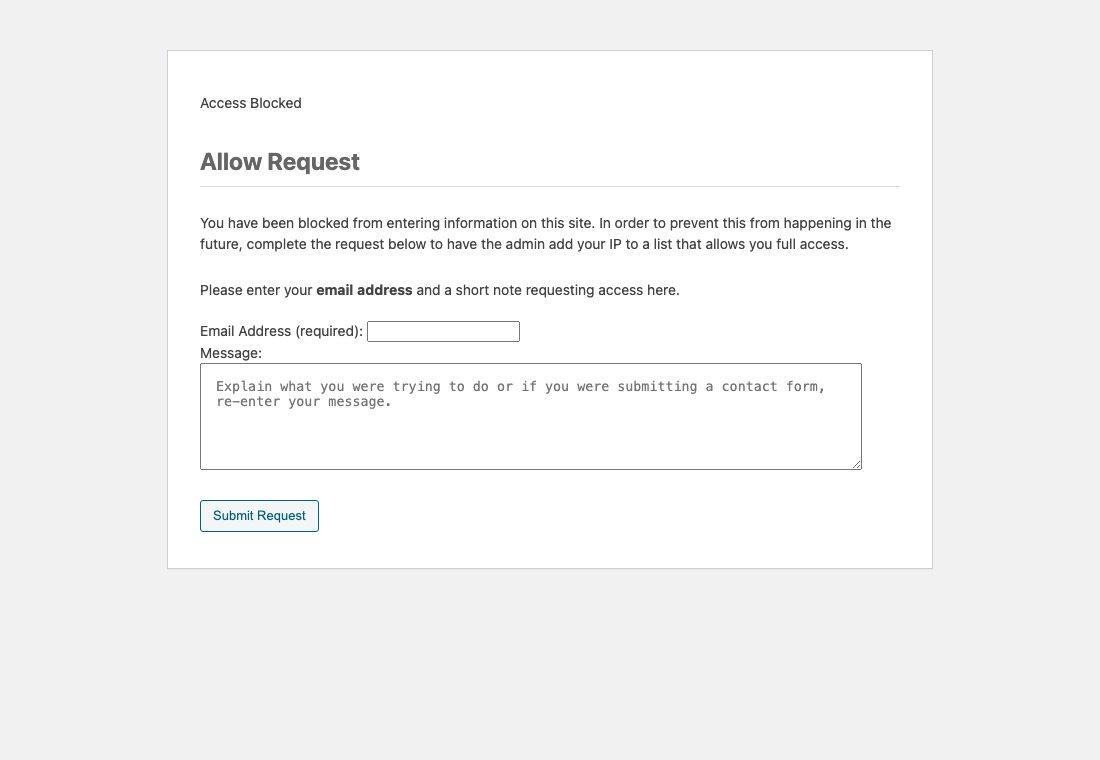
Figure 1: The public "Allow Request" form an anonymous visitor sees, the unauthenticated injection point.
Why This Matters: The Attack Chain
Stored cross-site scripting means malicious code gets saved on your server and executes later, for someone else, under different conditions than when it was planted. In this case, the chain looks like this.
An attacker submits a crafted entry through the public "Allow Request" form, which Stop Spammers Classic stores as part of its blocked-request queue. That entry sits in the database, waiting.
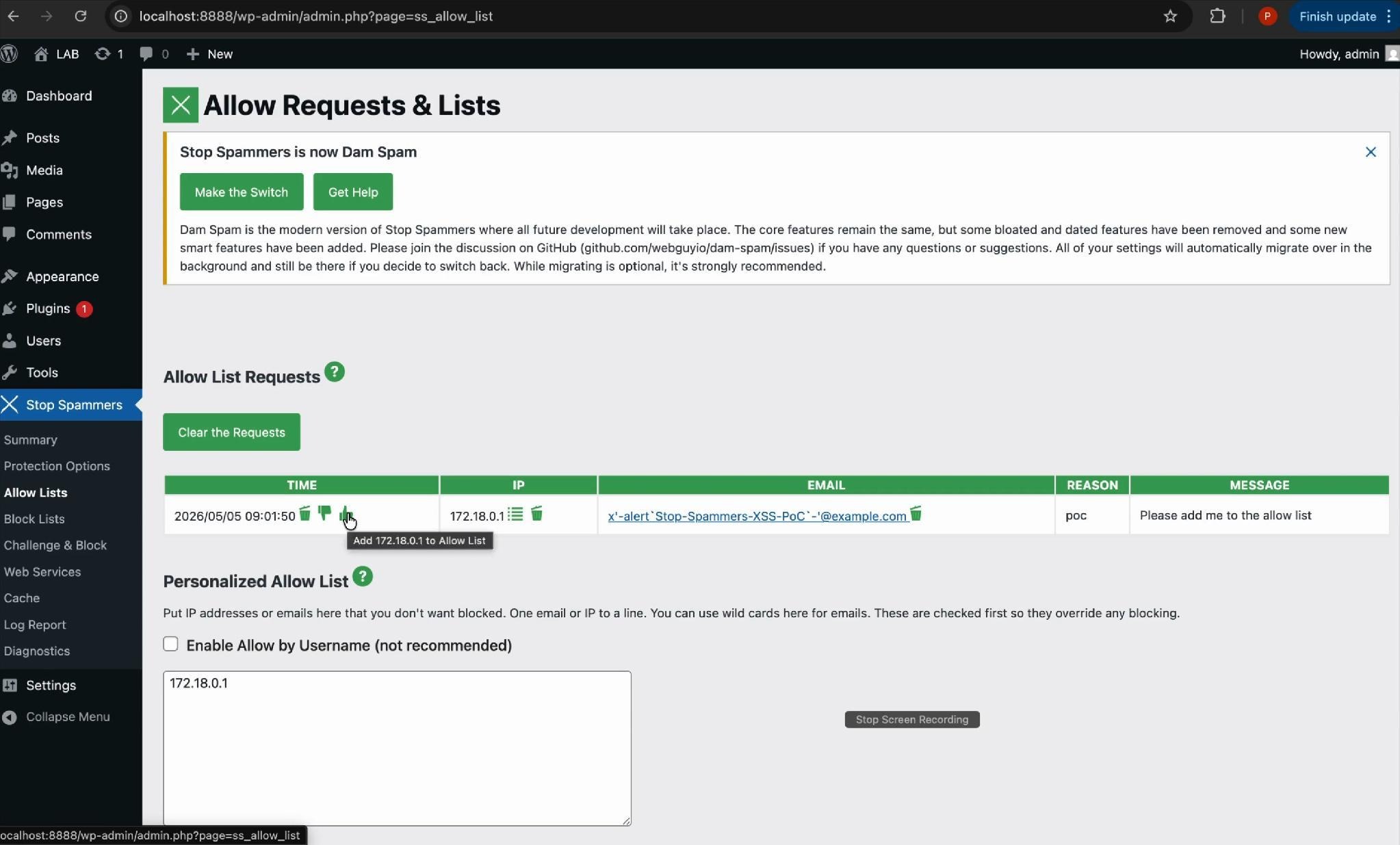
Figure 2: The stored payload sitting in the administrator's blocked-request queue, waiting to be reviewed.
When a site administrator opens the queue and clicks to allow or delete the attacker's entry, a normal part of moderating the list, the stored payload executes inside their browser session, with their privileges.
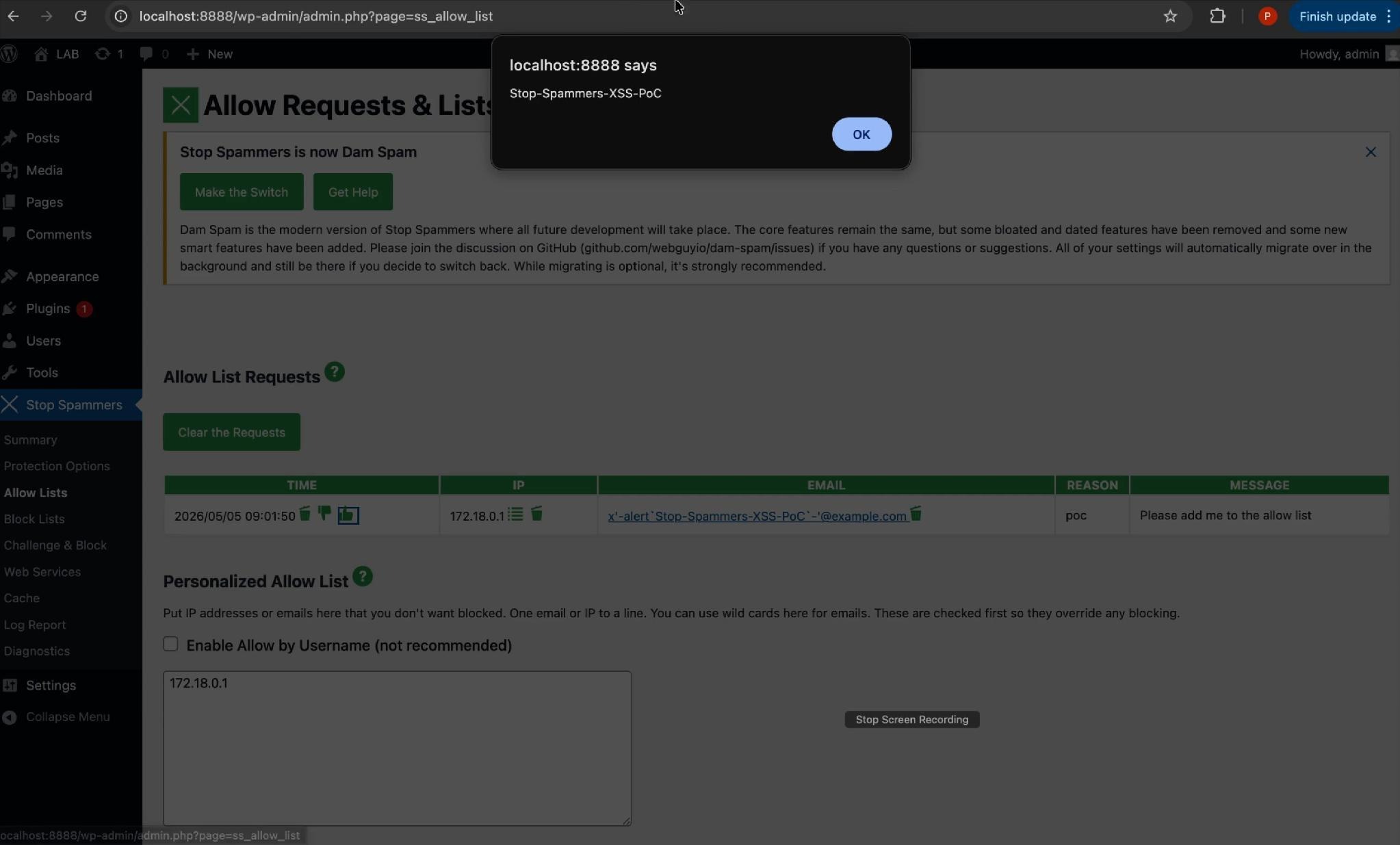
Figure 3: The payload executing in the authenticated admin session, proof of code execution in wp-admin.
From there, the possibilities escalate quickly. A script running in an authenticated admin session can create new administrator accounts, modify plugin or theme files, install backdoors, or redirect site visitors.
The vulnerability turns a feature meant to reduce friction for legitimate users into a quiet trap for the people running the site.
Under the Hood: How the Payload Beat WordPress's Email Validation
The detail worth understanding is how a working script survived a field that is only supposed to accept email addresses.
When the administrator's queue page renders, the plugin pastes the submitted email directly into a JavaScript click handler on the action buttons. Simplified, the generated HTML looks like this:
<a onclick="sfs_ajax_process('IP','wlreq','add_white','…ajax-url…', 'ATTACKER_EMAIL');return false;">
So the email doesn't just appear on the page, it lands inside a JavaScript string, inside an HTML attribute. To run code, an attacker has to defeat two safeguards at the same time:
1. The email validator's character set. WordPress runs the field through sanitize_email() and is_email(), which only permit the characters allowed in a real email address. Crucially, parentheses ( and ) are not among them, so the obvious payload, alert(1), is stripped on sight. You cannot call a function the normal way.
2. The JavaScript string context. The value sits inside '…'. The attacker first has to break out of that string before anything will execute.
These constraints look mutually exclusive: the input has to be a valid email (to pass validation and get stored) and valid JavaScript that calls a function without parentheses (to fire). The interesting part is that those two sets overlap, and three characters that are perfectly legal in an email make it possible:
- The single quote ' closes the developer's string and breaks out of it.
- The backtick ` invokes a function without parentheses (more on that below).
- The minus - glues the fragments into syntactically valid JavaScript so the browser doesn't reject the line.
The payload we used was:
x'-alert`Stop-Spammers-XSS-PoC`-'@example.com
Dropped into the quoted argument, the browser reads it as:
'x' - alert`Stop-Spammers-XSS-PoC` - '@example.com'
'x' closes the string the developer opened, alert`…` is the part that runs, and '@example.com' re-balances the quotes so the surrounding code stays valid.
The trick that makes it work without parentheses is an ES6 feature called a tagged template literal. In modern JavaScript, a function name immediately followed by backticks is a function call:
alert`hello` // is equivalent to alert(["hello"])
No parentheses required, exactly the restriction the email filter imposed. So alert`Stop-Spammers-XSS-PoC` fires alert() even though ( and ) were never allowed through.
And because every character involved is legal in an email address, and the string still has a local part and a domain (@example.com), WordPress's validators accept it as a genuine email and store it without complaint.
The root cause, then, isn't really the input filter, it's the missing output encoding. The value was written into a JavaScript context without being escaped for that context. The correct defense is WordPress's esc_js() function, which is exactly what the vendor added in version 2026.4. It backslash-escapes the single quote so the string can no longer be broken out of, the backticks are never parsed as code, and the payload stays inert text.
Remediation Steps: What to Do Right Now
Start by checking your installed version. From your WordPress dashboard, go to Plugins, locate Stop Spammers Classic, and check the version number listed underneath it.
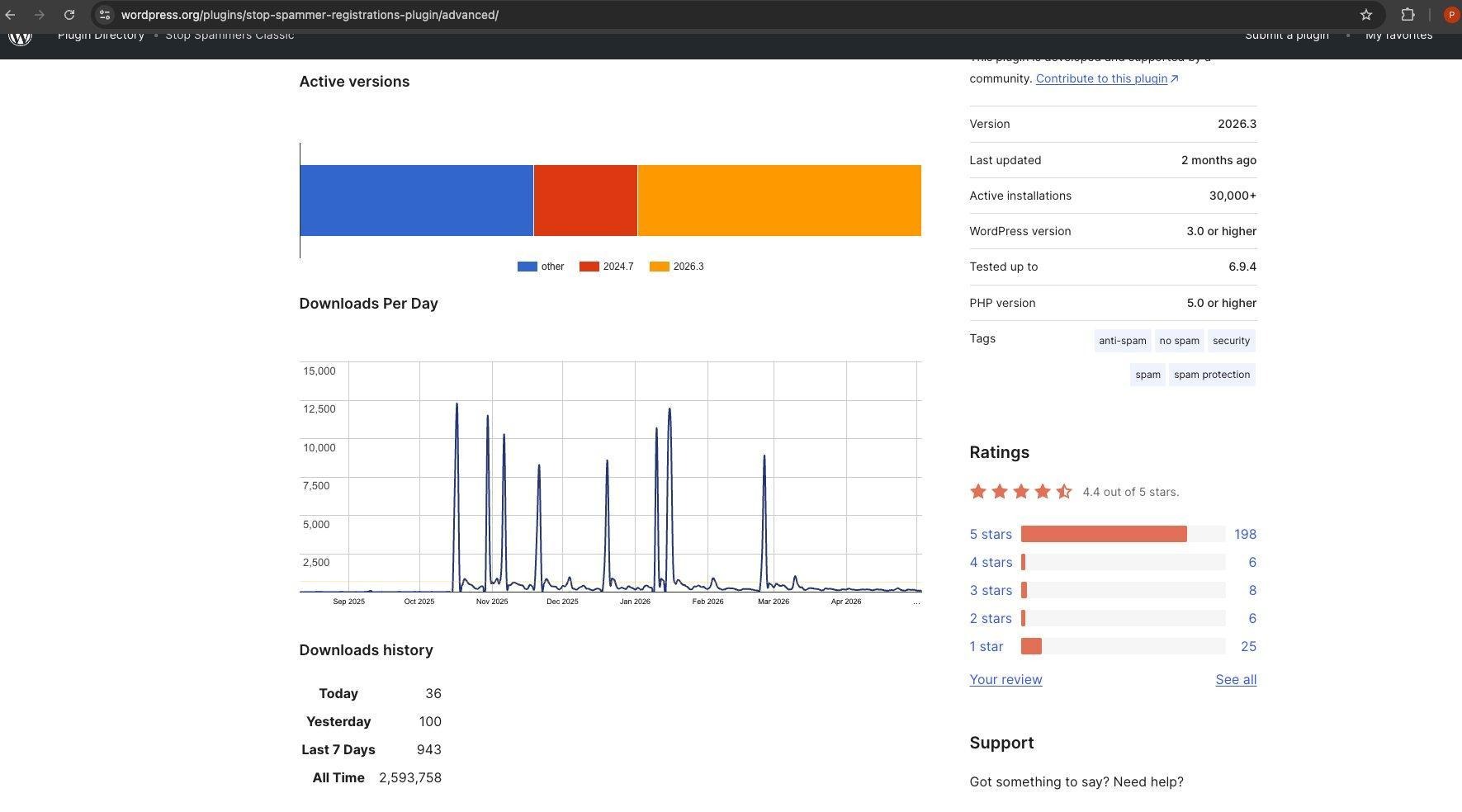
Figure 4: The plugin's version and install count on WordPress.org (v2026.3, 30,000+ installs).
If it reads 2026.3 or earlier, you need to update immediately. The vulnerability was fixed in version 2026.4, and the current safe version is 2026.5, so updating to the latest release covers you and brings in any subsequent improvements.
Beyond this specific fix, a few habits go a long way:
- Keep all plugins, themes, and WordPress core updated on a regular cadence rather than waiting for a crisis.
- Review your admin user list periodically for accounts you don't recognize.
- Monitor admin activity logs for unexpected changes, especially around plugin installations or new user creation.
- Treat any moderation queue as untrusted input, this case shows exactly why that caution is warranted.
How ULTRA RED Helps
At ULTRA RED, we continuously uncover real-world exposures while helping organizations identify exploitable attack paths across their external attack surface. We believe security teams should spend less time chasing theoretical risk and more time focusing on validated exposures that attackers can actually use.
CVE-2026-48876 is a reminder that even security-focused plugins can introduce unintended risk, and that attackers often target overlooked pathways rather than obvious weaknesses. A public form designed to reduce friction for legitimate visitors turned into a quiet entry point for admin compromise, which is exactly the kind of exposure that traditional scans tend to miss.
If you'd like to learn more about our research, our responsible disclosure efforts, or how ULTRA RED helps organizations prioritize real-world exposure across their attack surface, we'd be happy to talk.
References
- CVE record: https://www.cve.org/CVERecord?id=CVE-2026-48876
- Wordfence advisory: Stop Spammers Classic ≤ 2026.3 — Unauthenticated Stored XSS
- Plugin page on WordPress.org: https://wordpress.org/plugins/stop-spammer-registrations-plugin/
Severity: rated 7.2 by Wordfence (High). CVSS 3.1 vector: AV:N/AC:L/PR:N/UI:N/S:C/C:L/I:L/A:N. Affected: ≤ 2026.3 · Fixed: 2026.4 · Current: 2026.5.


