


This release brings global timeframe filtering to Custom Dashboards, a cleaner layout on the Vectors page, more flexible Playbook triggers, and another round of informational tooltips.
You can now filter an entire dashboard by timeframe from one place. We have added six timeframe filters, four for assets and two for vectors, available in the sidebar. When you apply a global filter to a board, every widget that has that field is filtered to match. Instead of adjusting widgets one at a time, you set the timeframe once and the whole board follows.
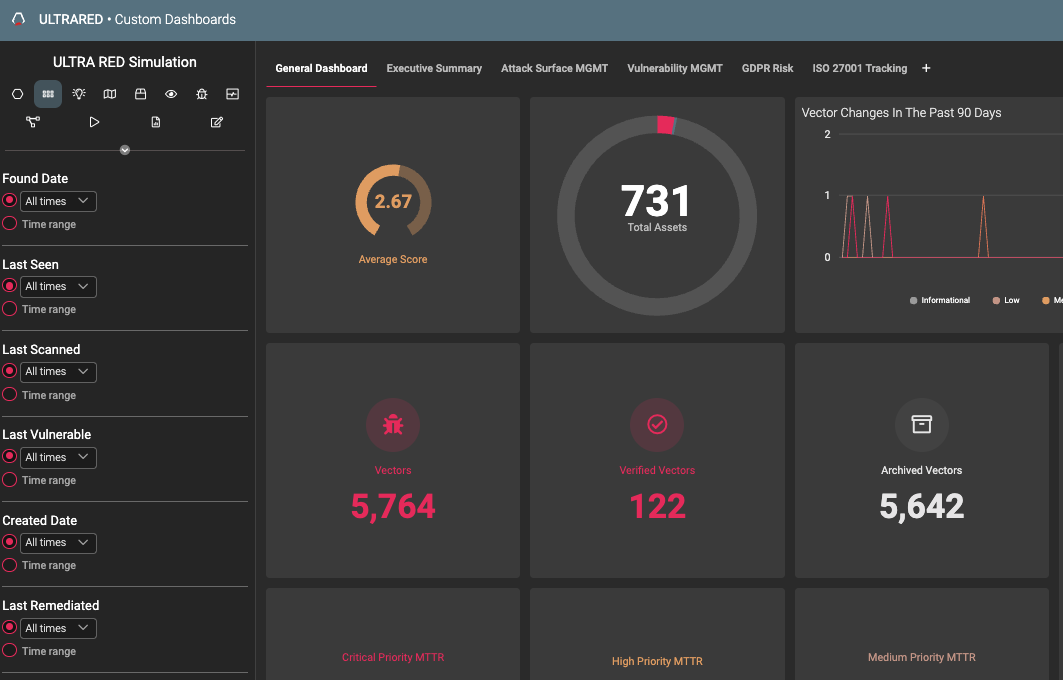
If you want to keep a specific widget out of global filtering, a new option in the widget more-actions menu lets you set it to ignore the global filters.
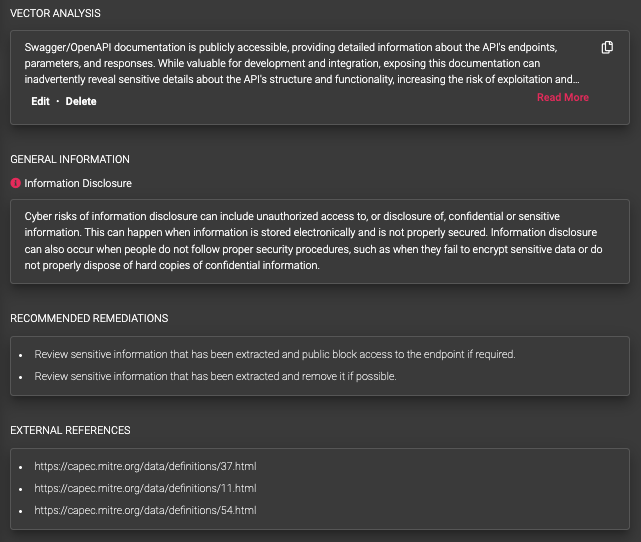
We have tidied up the Vectors page. Vector Analysis now sits on the right side of the page, alongside the other information sections, so the related details lives together in one place.
You can now add a second condition to any Playbook trigger. Pairing two conditions lets you narrow a trigger to exactly the events you care about, on every trigger rather than only some.
We have added more informational tooltips across the platform, continuing the rollout from the previous release. More are still on the way in future updates.
The discovery endpoint now returns IDs alongside the domain and asset names, so you can reference discovered items directly in follow-up calls.
