This update focuses on giving you more depth. Whether it is drilling down into dashboard numbers, refining automation logic, or catching more sophisticated misconfigurations, we want to ensure you have the full context behind the data.
Dashboard: Widget Details View
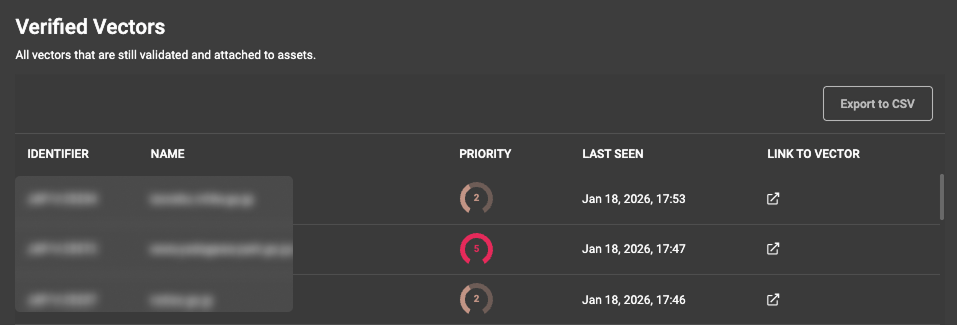
High-level numbers are great for status checks, but sometimes you need to see the raw data immediately. We have added a "Details View" to our counter widgets. This allows you to view a table of the specific assets or vectors that make up the count on the dashboard.
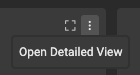
Accessing this view is simple: just click the new button next to the "More Actions" menu on the widget. If your widget is currently filtered, the details view will respect those filters automatically. You can also export the underlying table to a CSV file for offline analysis.
We are rolling this out for the following counter widgets in this release, with more to follow:
All 3 MTTR counters
Archived vectors
Verified vectors
Assigned assets
Monitored assets
Vulnerable assets
New Vector Detections
We have expanded our scanner capabilities to identify five new vectors. These additions focus on API authorization gaps, cloud identity misconfigurations, and legacy server exposures.
Broken Function Level Authorization - Detects API endpoints that fail to validate user permissions for specific function calls. This capability identifies areas where attackers could bypass authorization to execute sensitive administrative or data-modification commands.
AWS Cognito: Open Registration - Identifies AWS Cognito user pools that permit unrestricted account registration. This check highlights configurations where attackers could create unauthorized accounts to abuse application APIs or access features intended for trusted users.
Firebase: Misconfiguration - Flags Firebase services with overly permissive access rules. The scanner now identifies open Cloud Storage buckets, Firestore instances, and Realtime Databases that expose sensitive data to the public internet.
JWT: Weak Configuration - Detects JSON Web Tokens (JWTs) that rely on weak signing secrets or permit the 'none' algorithm. This validation prevents attackers from forging or modifying tokens to impersonate users or escalate privileges.
IIS Short Name Enumeration - Identifies Microsoft IIS servers that enable legacy 8.3 short-name generation. This check prevents attackers from using specific request patterns to enumerate hidden files and internal directory structures.
Playbooks
We have added more granularity to your automation triggers and actions, allowing for more precise logic when managing assets and vectors.
New Condition: Asset NameYou can now use "Asset Name" as a specific condition for these triggers:
New port found
Port status changed
New enrichment found
New appendix finding
New outdated technology
New Action: Add Custom Tag
We added the ability to apply custom tags on vector-related triggers.
API Updates
For teams building on top of our platform, we have exposed more data to help you manage history and context.
We added a dedicated endpoint for fetching asset timelines. This is particularly helpful for querying long-standing assets with extensive activity history.
The assets endpoints now return IP address and port information directly.
Full parameters and examples are available in our API documentation.
Additional Improvements
The "Last Remediated Date" is now visible on asset cards and within the asset details view.
Predefined date filters now update dynamically. You no longer need to manually adjust them to keep reports current.
Manually stopping a scan now generates a distinct event in the scan activity log.
You can now delete reports while they are still in progress.